Quick Answer: MagSafe is Apple’s magnetic charging and accessory system. On iPhones (from the iPhone 12 onward), a ring of magnets snaps chargers, cases, wallets, and mounts into perfect alignment for wireless charging. On MacBooks, MagSafe is a magnetic power cable that detaches safely if someone trips over it.
If you have shopped for an iPhone charger or a MacBook cable lately, you have probably seen the word MagSafe on the box. You may have wondered whether it is just a brand name or something genuinely different. The answer is that it is both. Apple trademarked the name. It is also a real technology that solves a small but annoying problem. In practice, it helps a charger sit exactly where it needs to be.
This guide explains what does MagSafe mean in plain language. It covers where the name came from, how it works on iPhones and on Macs, and which devices support it. It also covers whether it is worth paying extra for. In fact, everything here is based on how the technology actually works, not on marketing claims.
What Does MagSafe Mean? The Name Explained
The name MagSafe is a combination of “magnetic” and “safe.” Apple coined it for the original MacBook charger. The point was safety. A magnetic connection would detach harmlessly if someone yanked the cable. It would not drag the laptop off the table. When Apple later reused the name for iPhones, the “magnetic” half stayed central, while the “safe” half became less literal. Snap-on alignment still prevents loose, half-connected charging. That kind of charging damages batteries and patience alike.
It is important to know that there are two different magnetic technologies sharing one name. However, they are not interchangeable. Confusing them is the most common source of misunderstandings about the system.
On iPhone: How It Works
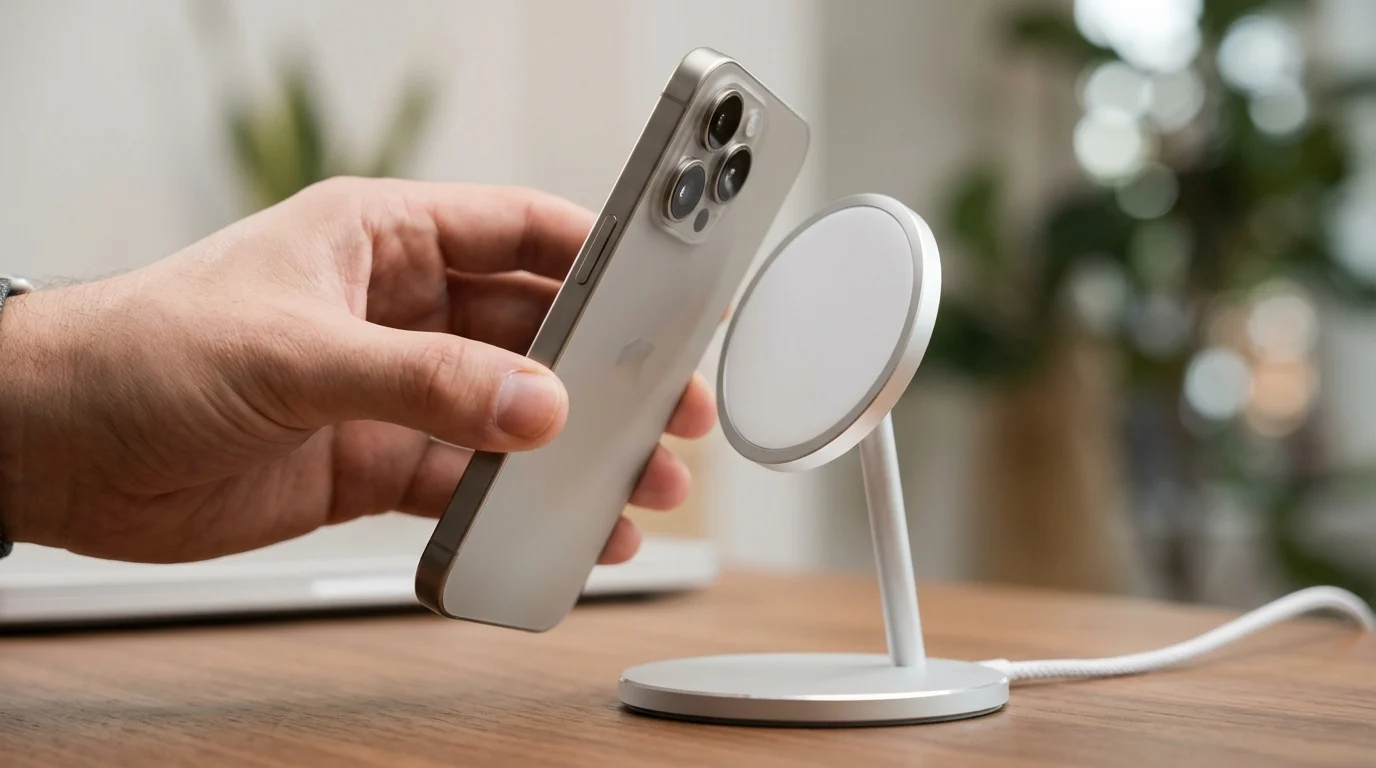
The iPhone version launched with the iPhone 12 in 2020. Inside every compatible iPhone, a circular array of magnets sits around the wireless charging coil. The coil sits on the back of the phone. A magnetic charger carries a matching ring of magnets. Bring the two together and they snap into alignment with a satisfying click. The magnets hold the phone in exactly the right position for wireless charging.
That alignment is the whole point. Ordinary wireless charging pads work, but they are fussy. For example, place the phone slightly off-centre and it may charge slowly. It may not charge at all. The magnetic snap removes the guesswork. Charging becomes faster and more reliable in practice, not just on paper.
The same magnet ring powers a large accessory ecosystem. Magnetic cases, wallets that attach to the back of the phone, car mounts, stands, and battery packs all use the same magnetic connection. A small alignment magnet in the ring also keeps accessories the right way up. The phone can detect when an accessory attaches. That is why you sometimes see a brief animation when one snaps on.
This charging uses the Qi wireless charging standard, with Apple’s magnetic alignment added on top. That is why the newer industry standard Qi2 works in a very similar magnetic way. Apple helped develop Qi2. It is broadly compatible with magnetic accessories.
On Mac: The Original Version
The original MagSafe appeared on MacBooks in 2006. It was a power connector held in place by magnets rather than plugged firmly into a socket. If someone tripped over the cable, the connector simply pulled free. It did not yank the laptop to the floor. For anyone who has ever watched a laptop slide toward the edge of a desk, the appeal was obvious.
Apple moved through three generations: MagSafe 1, the slimmer MagSafe 2 in 2012, and MagSafe 3. MagSafe 3 returned in 2021 after a period when MacBooks charged only by USB-C. The modern MacBook magnetic cable connects to a USB-C power adapter on one end. It snaps magnetically onto the laptop on the other end. It also carries a small LED that shows charging status.
Note that a Mac magnetic charger and an iPhone magnetic charger are completely different products. They share a name and a magnetic idea. You cannot charge an iPhone with a MacBook magnetic cable, or vice versa.
Which Devices Support MagSafe?
On the iPhone side, Apple built it into the iPhone 12 series and most later models. Those models include the iPhone 13, 14, 15, and 16 families. Some budget models, such as the iPhone 16e, do not include the magnet ring. Check the specifications of the exact model before buying accessories.
On the Mac side, MagSafe 3 appears on recent MacBook Air and MacBook Pro models. Older MacBooks used MagSafe 1 or 2. The models sold between roughly 2016 and 2019 charged by USB-C alone. The connectors differ between generations. A magnetic cable for one MacBook may not fit another.
Sellers label many third-party cases and accessories “magnetic compatible.” This usually means they contain magnets strong enough to work with magnetic chargers and mounts. Quality varies, so reviews and reputable brands matter more than the label alone.
MagSafe vs Ordinary Wireless Charging
Ordinary Qi charging and magnetic charging use the same basic principle, electromagnetic induction, to move power wirelessly. The difference is alignment and attachment. A plain Qi pad requires careful placement. It gives no feedback when the phone is misaligned. The magnetic system snaps the phone into place and holds it there. It enables faster charging speeds on supported iPhones. Perfect alignment lets the charger deliver power more efficiently.
It also unlocks accessories that plain Qi cannot support: wallets, mounts, and stands that grip the phone magnetically. If you only ever charge on a bedside pad, the difference may feel small. If you use a car mount, a desk stand, or a magnetic wallet, the difference is the whole reason to choose the magnetic system.
Is It Worth It?
For most iPhone users, it is worth having, especially for car mounts and stands, where the magnetic grip is genuinely useful. The chargers themselves cost more than plain wireless pads. In addition, the convenience of snap-on alignment and the accessory ecosystem justify the price for many buyers.
It is less essential if you already charge happily with a cable or a standard pad and never use magnetic accessories. It is a convenience upgrade, not a necessity. An iPhone works perfectly well without it. The one group who should be careful is people with implanted medical devices. Apple advises keeping magnetic accessories at a safe distance from such devices. Anyone concerned should check with their doctor.
Frequently Asked Questions
What does MagSafe mean?
MagSafe is Apple’s name for its magnetic charging and attachment system: a magnet ring in iPhones for wireless charging and accessories, and a magnetic power connector on MacBooks.
Is MagSafe the same as wireless charging?
Not exactly. It is wireless charging plus magnetic alignment and attachment. It uses the Qi wireless standard, with magnets added to hold everything in place.
Which iPhones have it?
Apple includes it in the iPhone 12 series and most later models, including the iPhone 13, 14, 15, and 16 families, with some budget models excluded.
Can I use a magnetic charger with a non-magnetic case?
A thick or non-magnetic case can weaken the magnetic hold and slow charging. Cases labelled magnetic-compatible contain magnets that preserve the connection.
Is it safe for my phone?
Yes, for general use. As with all magnets, Apple advises people with implanted medical devices to keep magnetic accessories at a distance and consult a doctor if unsure.
Conclusion
So, what does MagSafe mean? It is Apple’s magnetic answer to a simple problem: keeping a charger or accessory exactly where it belongs. Born as a safety cable for MacBooks in 2006, it returned as a wireless charging system for iPhones in 2020. It now spans two product lines and a large accessory world.
Whether you need it depends on how you charge and carry your phone. Now you know what the name stands for, how it works, and which version you actually own. For more explanations, browse the Meaning guides on Riizzup.


